Ace release notes and the public release record
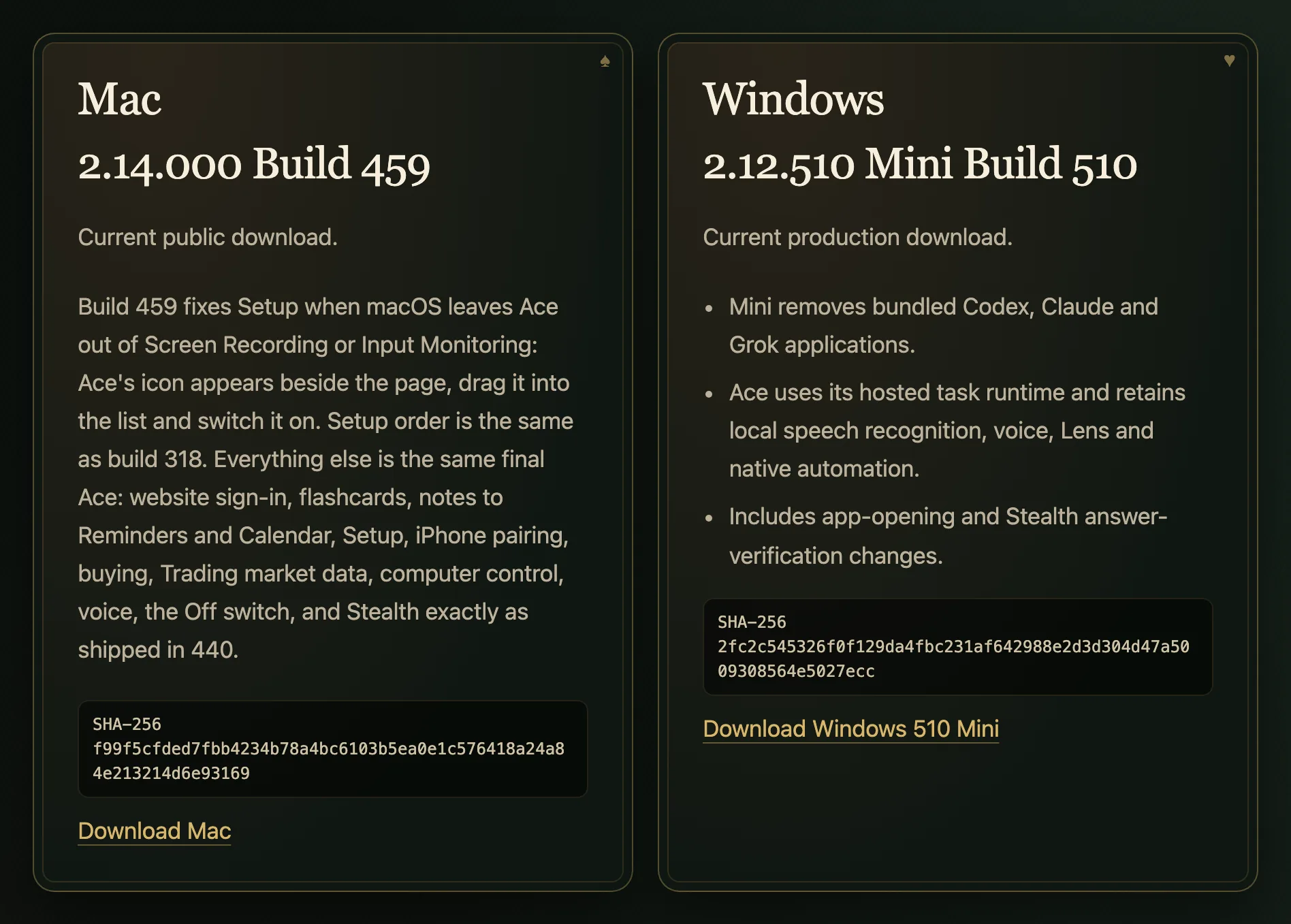
Ace publishes its current versions and change notes on a public release record at tryacee.com/changelog. On October 28, 2026 it listed Mac 2.14.000 build 459 and Windows 2.12.510 Mini build 510, each with a SHA-256 fingerprint, plus a Linux AppImage. Before you open a download, compare its fingerprint with the one shown on the record.
Free Play: 2,000 credits, no card. Ace by Black Label.
♠A
♠
Current builds
| Platform | Version | Build | Status on the record |
|---|---|---|---|
| Mac | 2.14.000 | 459 | Current public download |
| Windows | 2.12.510 Mini | 510 | Current production download |
| Linux | AppImage | See the record | Linked from the record |
The record reads from Ace’s published release records, so it changes as soon as a new build ships. If this page and the record ever disagree, trust the record.
What recent Mac builds fixed
- Build 459: when macOS leaves Ace out of Screen Recording or Input Monitoring, Setup shows Ace’s icon beside the settings page so you can drag it into the list and switch it on. Setup keeps the order introduced in build 318.
- Build 457: the same fix, for Screen Recording only.
- Build 449: stopped Setup from restarting Ace again and again after Input Monitoring was switched on.
- Build 447: brought every Mac fix and feature together with Stealth as shipped in build 440, including website sign-in, flashcards, notes sent to Reminders and Calendar, iPhone pairing, buying, Trading market data, computer control, voice and the Off switch.
Earlier Mac milestones
- Ace 2.0, build 411: separated Stealth from normal feature work and restored deliberate exit and recovery.
- Build 206: made the card table smoother, with a shorter deal, steady scrolling and smooth pointer movement.
- Build 205: introduced the card table, with the gold spade dock, answers dealt as cards you can follow up, copy, save and pin, live source chips, a work rail, and Notes with Checklist, Flashcards and Quiz.
Each of these older Mac builds keeps its own download link on the record.
Reading an entry
Mac builds 447 to 459 all carry version 2.14.000; the build number is what changes with each fix. The recent entries add that everything else is the same final Ace, with Stealth exactly as shipped in build 440, which tells you each fix is narrow. So if Setup on your Mac stalls at Screen Recording or Input Monitoring and you are on a build older than 459, downloading the current build is the first thing to try. The Windows line has its own numbering, 2.12.510, so compare Mac builds with Mac builds only.
What the Windows Mini build changed
Windows 2.12.510 is labeled Mini because it removes the bundled Codex, Claude and Grok applications. Ace uses its hosted task runtime instead, while keeping local speech recognition, voice, Lens and native automation on the PC. The same build includes changes to how apps are opened and to how Stealth answers are verified.
Check a download against its fingerprint
A SHA-256 fingerprint is a 64-character code calculated from the file’s contents. If the code for your download matches the one on the record exactly, you have the same file that was released.
- Mac: open Terminal and run shasum -a 256 followed by the path to the file.
- Windows: open PowerShell and run Get-FileHash followed by the path, with -Algorithm SHA256.
- Linux: run sha256sum followed by the path to the AppImage.
If the codes differ, do not open the file. Delete it and download it again from your account. Mac and Windows also apply their own signing and installation checks when you open Ace.
Which build do you have?
On a Mac, select Ace in the Applications folder and choose File > Get Info to see its version. On Windows, look for Ace under Settings > Apps > Installed apps. When you write to hello@tryacee.com about a problem, include the build number, your computer’s model and what you were trying to do, which is what Ace’s support page asks for.
What it looks like
Also asked
Where is Ace’s changelog?
On the public release record at tryacee.com/changelog, which is also linked from Ace’s Security page.
Can I download an older Mac build?
Yes. The record lists previous Mac releases, each with its own download link.
Why does the Windows build say Mini?
Its notes say Mini removes the bundled Codex, Claude and Grok applications and uses Ace’s hosted task runtime.
What should I do if the fingerprint does not match?
Do not open the file. Delete it, download it again from your account, and check again; if it still differs, email hello@tryacee.com.