No. 01
The long read
Try Ace, the AI assistant you talk to.
Hold two keys, ask out loud and hear the answer. Ace looks at your screen only when you ask, and Free Play starts you with 2,000 credits and no card.

What it is
An assistant you talk to, not a tab you keep open.
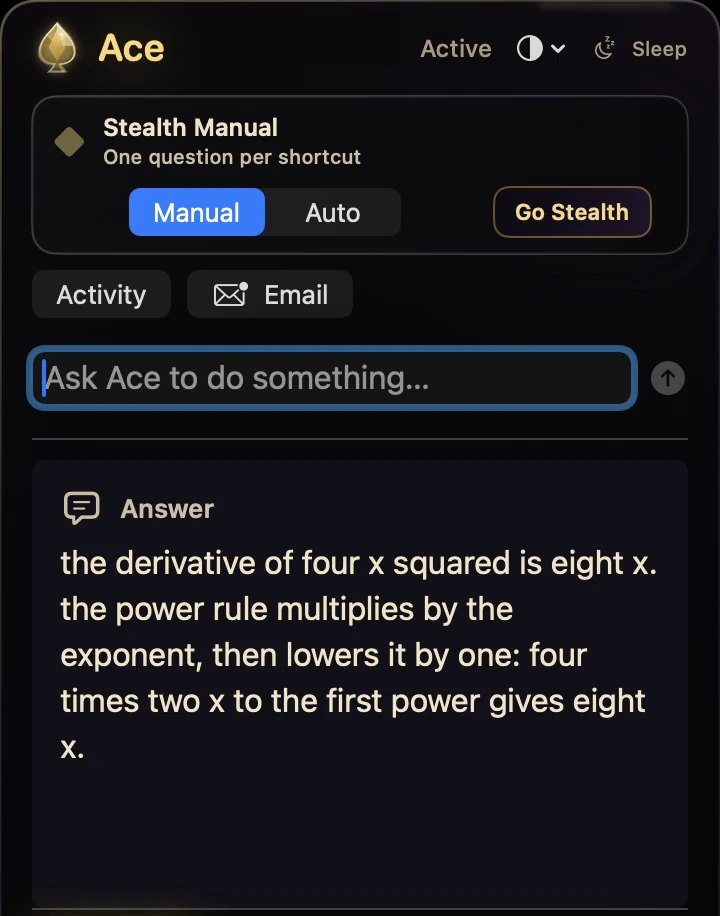
Ace is an AI assistant for your computer and your phone. It does not ask you to open a website, find the right tab and paste in what you were looking at. It waits until you hold two keys, listens, and answers out loud in its own voice.1
You can type instead of talking. Both go into the same conversation, and the answer comes back as speech and text, beside the app you were already in: a document, an email, a lesson, an error message.
When the question is about something on screen, Ace can look, but only when you ask, and only after you have allowed screen access through your own computer’s permission prompt.2 It also keeps notes: key points and flashcards from what you heard or read.
Trying it costs nothing. Free Play is 2,000 credits with no card, on one account and one balance that covers your computer, your phone and the web.3
The live web platform
What you’ll see when you try Ace
The Ace web workspace with Ask Ace, Ace on a phone, the Medicine school workspace and Study, exactly as they look on tryacee.com today.


The steps
Trying it takes three steps.
About five minutes, most of it the download.
Start a free account
Sign up with Google or your email. Free Play starts you with 2,000 credits and asks for no card.
Pick your device and install
Windows 11 or 10, a Mac on macOS 13 or later, Linux as an AppImage, or iPhone with Ace Mobile. Your account offers the right download.
Hold the hotkey and talk
Ctrl + Shift on Windows, Command + Shift on a Mac, your own hotkey on Linux. Talk or type, let go, and Ace answers out loud.
Day one
Six things to ask in the first hour.
Explain the part I highlighted, with one example.
ExplainMake this clearer, but keep my meaning.
WriteKeep notes on this lesson and make flashcards.
NotesWhat does this error mean, and what is one safe thing to try first?
ScreenSummarise this PDF in five bullet points.
ReadWhat should I write in this box on the form?
Forms
A first session
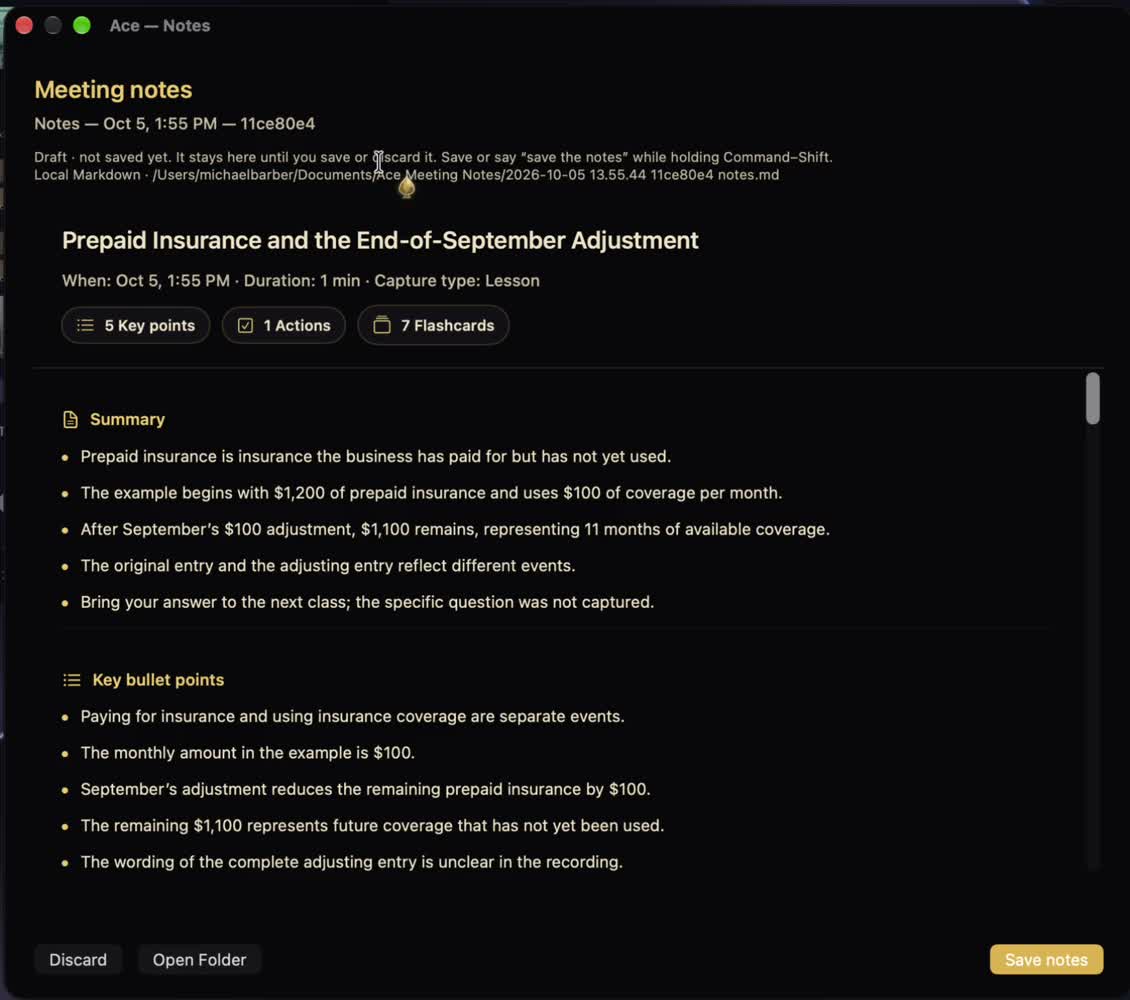
A first session: turn a lesson into notes
Notes make a good first test, because you can hold the result up against the lesson you just watched or read.
Open the lesson
Keep the video, slides or reading open on the screen you are on. Allow screen access only if you want Ace to look at it.
Ask for notes
Hold the hotkey and say: “Keep notes on this lesson and make flashcards.”
Check them against the source
Read the key points beside the lesson. Fix any term or number that does not match before you study from the flashcards.
Notes from an AI are a starting point. The lesson is the source: check names, numbers and definitions against it.
Where it runs
Four places to try it, one balance.
| Device | How you ask | Note |
|---|---|---|
| Windows 11 and Windows 10 | Hold Ctrl + Shift | The PC you already have. |
| Mac: macOS 13 or later, Apple silicon or Intel | Hold Command + Shift | |
| Linux (AppImage) | Your own hotkey | Set it during Setup. |
| iPhone (Ace Mobile) | Point the camera | The camera stands in for the screen, on the same account and balance. |
One account and one balance for your computer, your phone and the web. Ace’s AI is hosted, so asking needs an internet connection.4
What it sees
The screen stays yours.
Ace does not watch your screen all the time. It looks only when you hold the hotkey and ask, and only what you choose goes with that request. Screen and microphone access are granted once, through your computer’s own permission prompts, and you can switch either off at any time.
On iPhone, Ace Mobile uses the camera instead of the screen, on the same account and the same balance.
The bill
What trying it costs: nothing.
2,000 free credits. No card required. One balance for your computer, phone and the web.
Try Ace freePaid plans and top-ups (8)
| Plan | Per month | What it includes |
|---|---|---|
| Table Pass | $20 | Connect your own supported AI subscription. |
| Pocket Pair | $30 | 10,000 hosted AI chips per month. |
| Full House | $50 | 30,000 hosted AI chips per month. |
| Private Table | $75 | Connect your own supported AI subscription. |
| High Roller | $100 | 60,000 hosted AI chips per month. |
| The House | $200 | 100,000 hosted AI chips per month. |
| Starter top-up | $10 | 5,000 chips, one time |
| Reload top-up | $50 | 20,000 chips, one time |
Prices in USD, from tryacee.com/pricing. Subscriptions renew until canceled. Compare every plan
Guides on this site
- What is Ace?Ace is an AI assistant for Windows, Mac, Linux, iPhone and the web that you talk to. What it does, where it runs, whose AI answers and who makes it.
- How to try Ace freeTry Ace for free: sign up with Google or an email link, install it on Windows, Mac or Linux or open web chat, then use your 2,000 free credits on real work.
- Signing in to AceSigning in to Ace: continue with Google, or use an email link that expires in 15 minutes. Fixes for missing emails, wrong accounts and new devices.
- Ace on iPhoneHow Ace works on iPhone: the Ace BL app pairs with Ace on your Mac, Ace Mobile runs in the browser, and how purchases, notifications and your data are handled.
- Ace pricing, plans and credits explainedEvery Ace plan as tryacee.com lists it: Free Play, Table Pass, Pocket Pair, Full House, Private Table, High Roller and The House, plus $10 and $50 top-ups.
- Ace release notes and the public release recordAce’s public release record: the current Mac and Windows builds, recent changes, older Mac downloads, and how to check a file’s SHA-256 fingerprint.
- All guidesEvery guide on this site in one list, with reading times.
Letters
Questions about trying Ace.
How do I try Ace?
Start a free Ace account, pick your computer or iPhone and install Ace. Then hold Ctrl + Shift on Windows or Command + Shift on a Mac (on Linux, your own hotkey) and talk or type. Ace answers out loud.
What comes with Free Play?
2,000 credits for $0, with no card. One account and one balance cover your computer, your phone and the web.
Do I need a card to start?
No. Free Play needs no card. If you want more later, Pay as you go starts at $10.
Which computers can I try it on?
Windows 11 and Windows 10; macOS 13 or later (Apple silicon or Intel); and Linux as an AppImage. On iPhone, Ace Mobile looks through the camera instead of the screen.
Does Ace watch my screen all the time?
No. Ace looks at your screen only when you hold the hotkey and ask, and only what you choose goes with that request. You grant screen and microphone access once, through your computer’s own permission prompts.
Can I type instead of talking?
Yes. Hold the hotkey and type, or talk. Ace answers out loud in its own voice, and it is the same conversation either way.
How do I sign in?
With Google or with your email. The email option sends you a secure link, so there is no password to remember.
Does Ace work without an internet connection?
No. Ace’s AI is hosted, so asking needs an internet connection. The app itself runs on the computer you already have.
What happens when the 2,000 credits run out?
You choose how to continue: one-time top-ups start at $10 and monthly plans start at $20. Free Play needs no card, so nothing is charged unless you pick a plan.
Footnotes
Notes
Ace answers out loud in its own voice, and you can type instead of talking. Back ↩
Ace looks at your screen only when you ask, after you allow screen access; you can switch it off at any time. Back ↩
Free Play: 2,000 free credits, no card. Prices are in USD as listed on tryacee.com/pricing. Back ↩
Ace for Mac runs on Apple silicon and Intel Macs with macOS 13 or later. Back ↩